Yes No Button

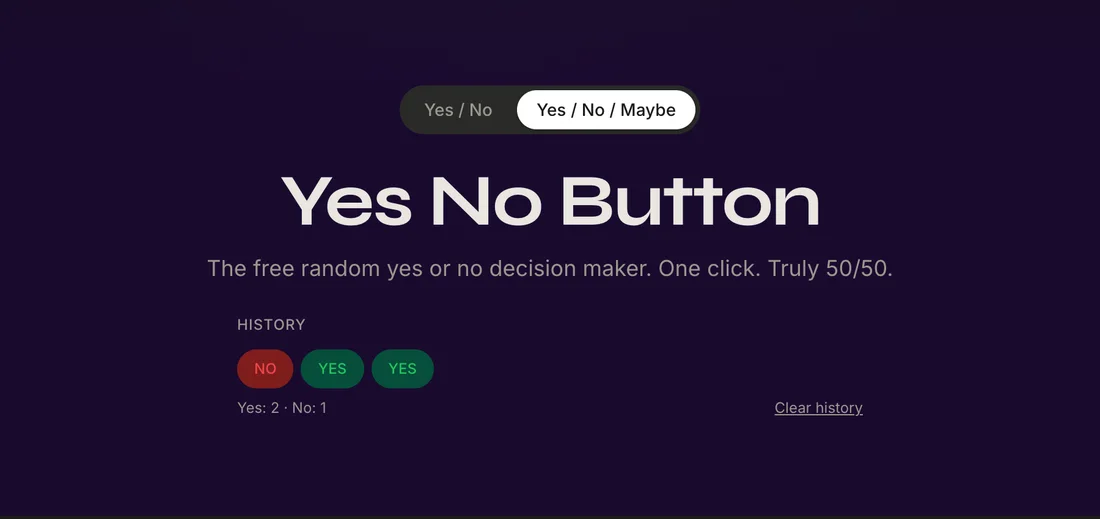
The free random yes or no decision maker. One click. Truly 50/50.

Mode:
YES · 50% NO · 50%

History

WHAT IS IT

What Is the Yes No Button?

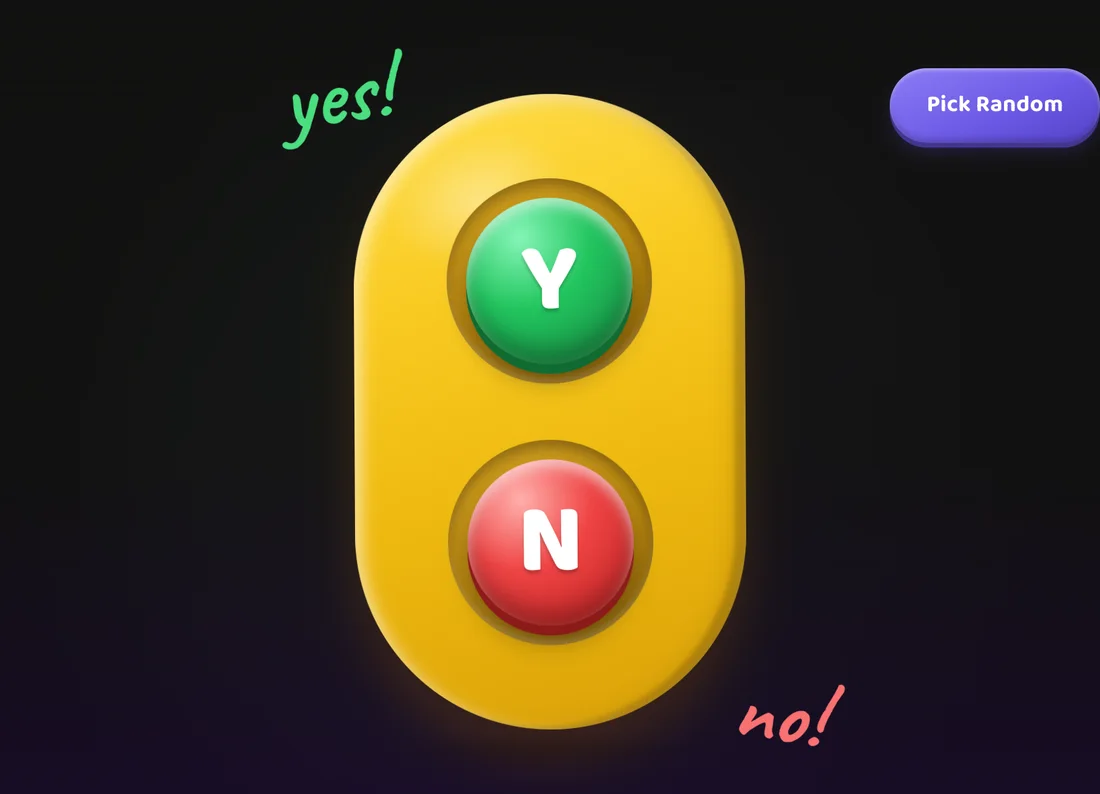
The Yes No Button is a free online random decision-making tool. It works by generating a truly random Yes or No answer with exact 50/50 probability - the same odds as flipping a fair coin, but instantly accessible on any device with a web browser.

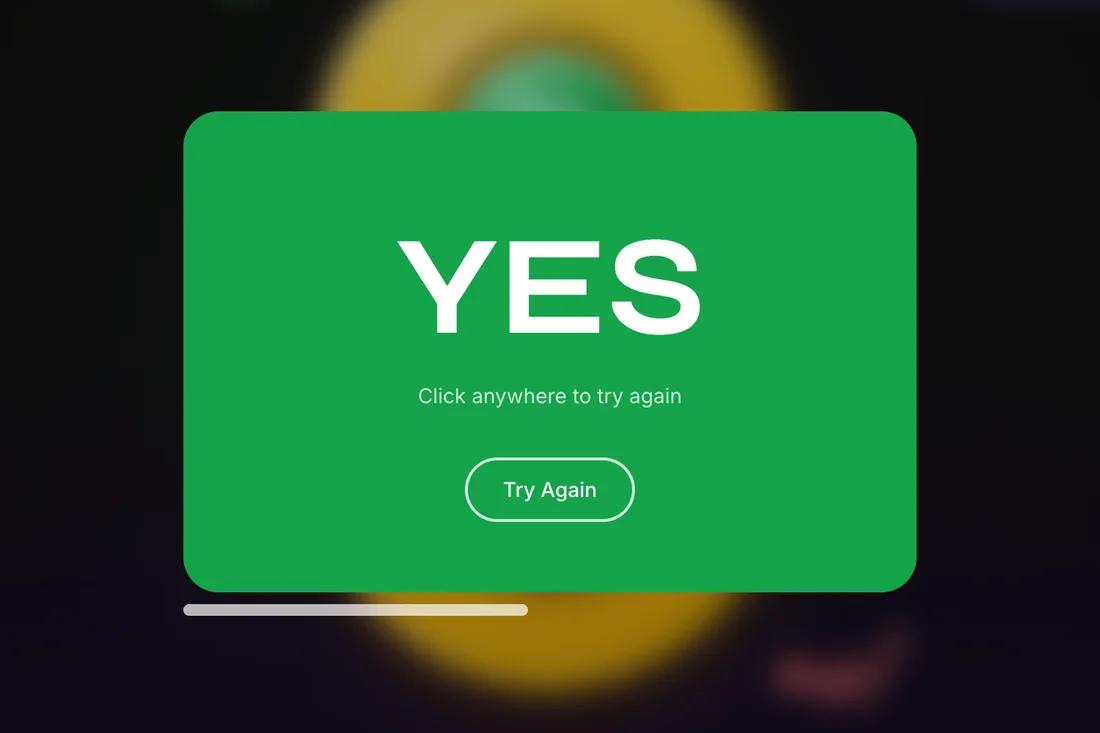
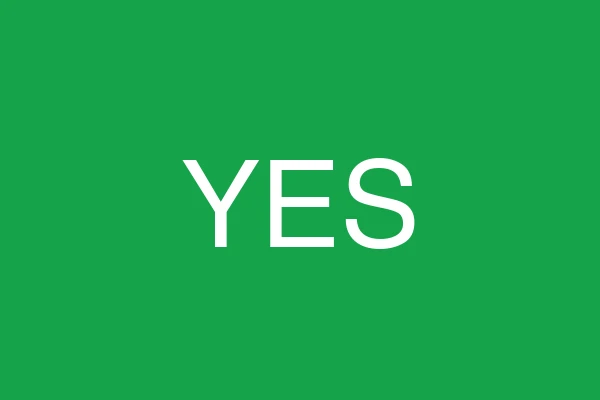
You can type an optional question into the input field for context, or simply hold a question in your mind and press the button. The answer appears as a fullscreen popup: a green background for Yes, a red background for No. The tool also reads the answer aloud using your device's voice synthesis, so you get both visual and audio confirmation.

There is no sign-up required, no cost, and no data collection. The entire tool runs in your browser - nothing is sent to any server. It works on phones, tablets, laptops, and desktop computers. Whether you need a quick decision, a game randomizer, or just a moment of clarity, the Yes No Button is always ready.
Common questions people ask

💬Should I text them first? Overthinking a message they already want to send
💬Should I quit my job? A gut check for a decision they're already leaning toward
💬Should I order pizza tonight? Settling a classic internal debate
💬Should I take the trip? Getting permission from a random source to do something fun
💬Should I go to bed now? The eternal battle with a good show
💬Should I call them back? Waiting for the right moment that never comes
HOW TO USE

How to Use the Yes No Button

Using the Yes No Button takes just seconds. Follow these eight simple steps to get the most out of the tool:

1

Type your question

Type your question in the input field (optional but adds context)

2

Click the button

Click the Press to Decide button

3

See the result

Wait for the animated result - Yes (green) or No (red)

4

Listen to the voice

Listen to the voice confirmation read aloud

5

Click again

Click again to get a new random answer

6

Toggle mode

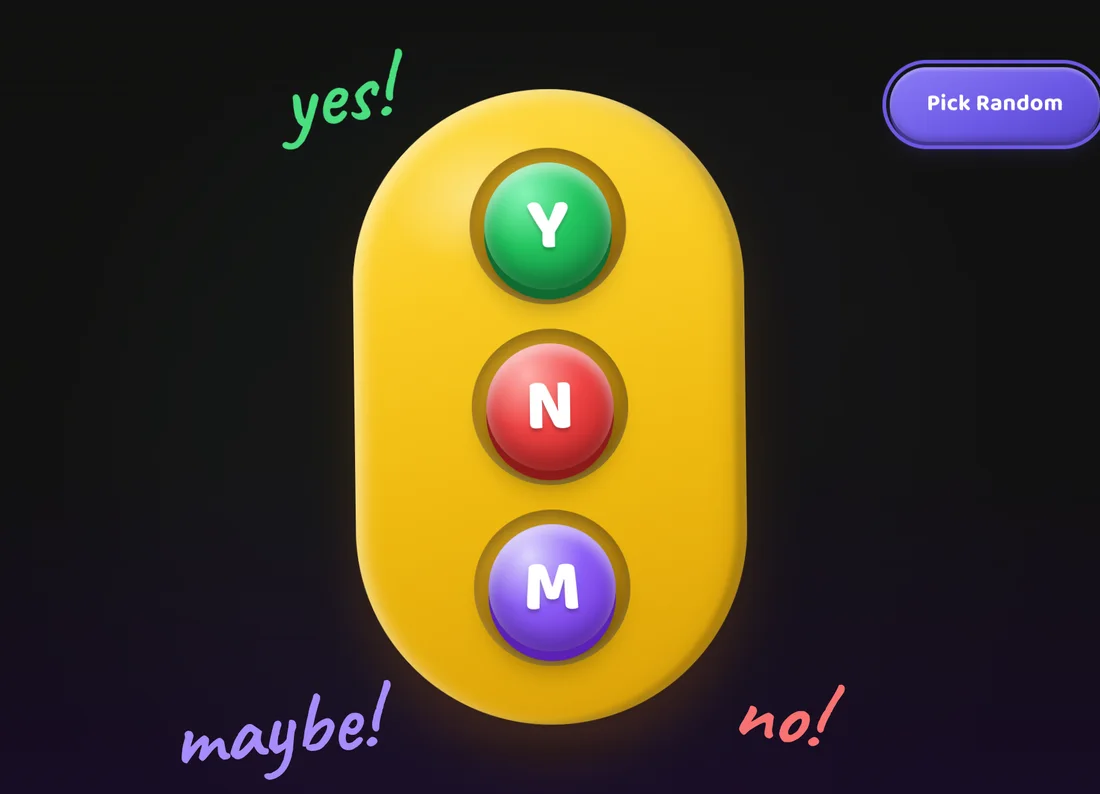
Use the Yes/No/Maybe toggle if you want a third option

7

Share your result

Share your result using the Share button

8

Embed the tool

Embed the tool on your site using the iframe widget

The question field is completely optional - you can simply hold your question in mind and click the button.
HOW IT WORKS

How Does the Yes No Button Work?

Button Click
Math.random()
0.0
1.0
YES or NO

The Yes No Button uses JavaScript's Math.random() function - a cryptographically seeded pseudorandom number generator built into every modern web browser. When you click the button, the tool generates a random decimal number between 0 and 1.

If the number is below 0.5, the answer is No. If it is 0.5 or above, the answer is Yes. This gives an exact 50/50 probability, mathematically equivalent to flipping a fair coin. In Maybe mode (three-way), the range is split into three equal thirds: 0 to 0.333 for No, 0.333 to 0.666 for Yes, and 0.666 to 1 for Maybe.

Each result is fully independent - previous outcomes have no influence on the next one. The tool does not store your questions or record your answers on any server. It is 100% client-side, running entirely in your browser with zero data sent over the network.

Comparison with other methods

Method Speed Bias-free? Fun factor
Flipping a coinSlow (need a coin)YesMedium
Asking a friendMediumNoHigh
Magic 8-ballMediumYesHigh
Yes No ButtonInstantYesHigh
USE CASES

When to Use the Yes No Button?

Decision making

When you're stuck between two options and analysis paralysis has set in, a random result can reveal your true preference. If the button says No and you feel disappointed, you know what you actually wanted.

Games

Use the button as a game mechanic. It works as a randomiser for truth-or-dare, would-you-rather, board game decisions, or picking who goes first.

Surveys & classroom

Teachers can use it to randomly select students or determine the order of presentations. The truly random output ensures fair selection.

Icebreakers

In group settings, use it to randomly assign activities, break ties in votes, or add an element of chance to team decisions.

Daily tasks

When choosing between two equally good options - which task to do first, which show to watch, which restaurant to pick - the button removes friction and helps you act.

Quizzes & trivia

In educational settings, use it to randomly pick which questions to ask or in which order to test participants.

BENEFITS

Why Use the Yes No Button Online?

Free

No subscription, no hidden fees - it's completely free to use.

Instant

One click, no waiting - results appear immediately.

Anonymous

Nothing is stored or tracked - your privacy is protected.

Unbiased

Truly random, unlike asking a friend who may have their own bias.

Available 24/7

Always ready when you need it, day or night.

No app download

Works in any browser - no installation or download needed.

THIS MONTH

June2026 Yes or No Questions

Seasonal questions to ask the Yes No Button this june. These questions are themed around the time of year to help you make timely decisions.

QuestionWhy ask it?
Should I go to the beach this weekend?Summer is here and the warm weather makes beach trips the perfect spontaneous decision.
Should I start a summer reading list?June is a great time to pick up new books with long sunny days ahead.
Should I plan a summer road trip?The start of summer is the ideal time to decide on travel plans before schedules fill up.
Should I try outdoor yoga?Warm mornings make outdoor exercise inviting and refreshing.
Should I host a barbecue?June evenings are perfect for gathering friends for an outdoor meal.
Should I take a staycation?Sometimes the best summer break is right at home with no travel stress.

Yes No Maybe Button

Sometimes a binary Yes or No answer isn't enough. That's where the Yes No Maybe Button comes in. By toggling into three-way mode, you add a third option: Maybe.

Each of the three outcomes has an equal 33.3% chance. Use this mode when the question genuinely has a middle ground - when the answer truly could be yes, no, or it depends. Maybe is often the most honest answer for complex decisions where you need more information before committing.

To switch modes, click the toggle at the top of the tool. It changes from Yes/No to Yes/No/Maybe mode. The Maybe result appears as a purple/violet popup to distinguish it from Yes (green) and No (red).

Example questions where Maybe is useful: "Should I take that job offer?" (you might need to negotiate first), "Is this the right time to move?" (timing might be unclear), or "Should I invest in that idea?" (more research may be needed).

Question Ideas by Category

Pick a category and click a question to auto-fill and trigger the button.

FAQ

Frequently Asked Questions

General

What is a Yes No Button?
A Yes No Button is a free online tool that randomly generates a Yes or No answer to any question. It works like flipping a coin with a 50/50 chance of either outcome, but is instantly accessible on any device without needing a physical coin.
Is the Yes No Button truly random?
Yes. The Yes No Button uses JavaScript's Math.random() function, which generates a pseudorandom number between 0 and 1. Numbers below 0.5 produce a No; numbers at or above 0.5 produce a Yes. Each result is fully independent of previous results.
How does the Yes No Button decide the answer?
When you click the button, JavaScript generates a random decimal between 0 and 1. If the number is below 0.5 the answer is No, if it is 0.5 or above the answer is Yes. In Maybe mode the range is split into three equal thirds.
Can I use the Yes No Button for free?
Yes, the Yes No Button is completely free to use. There are no subscriptions, no hidden fees, and no sign-up required. It works on any device with a web browser.
Does the Yes No Button work on mobile?
Yes, the Yes No Button works on all devices including smartphones, tablets, laptops, and desktop computers. The interface is fully responsive and adapts to any screen size.
Is there a Yes No Maybe Button?
Yes. Use the toggle at the top of the tool to switch between Yes/No mode and Yes/No/Maybe mode. In three-way mode each outcome has an equal 33% probability.
Can I share my Yes No Button result?
Yes. After each result a Share button appears. You can copy a shareable link containing your result and question, or use the native share dialog on mobile devices via the Web Share API.
How do I embed the Yes No Button on my website?
Scroll to the embed section at the bottom of the page, copy the provided iframe code, and paste it into your website's HTML. The embed loads a lightweight version of the tool that works in any webpage.
Does the Yes No Button record my questions?
No. The Yes No Button runs entirely in your browser. No questions or results are sent to any server, recorded, or stored anywhere except your browser's localStorage for the history feature.
What is the Yes No Oracle?
The Yes No Oracle is an alternative version of the tool with a mystical fortune-teller theme. It works the same way but presents the experience as a digital oracle you can ask any question.
What is the difference between a Yes No Button and flipping a coin?
Both produce a 50/50 random outcome, but the Yes No Button is instant, works on any device, optionally reads the answer aloud, tracks your history, and lets you share results. No physical coin needed.
How many times can I press the Yes No Button?
There is no limit. You can press the button as many times as you want. Each press generates a new independent random result based on pure probability.
What is the probability of getting Yes vs No?
In standard mode the probability is exactly 50/50 - equal chance of Yes or No. In Maybe mode each of the three outcomes has a 33.3% chance.
Can I type my question before pressing the button?
Yes. There is an optional text input above the button where you can type your question. If filled in, the question appears inside the result popup above the answer. The input is completely optional.
Is the Yes No Button available in other languages?
Currently the Yes No Button is available in English. Multi-language support for Spanish, French, and other languages is coming soon.
How do I reset my Yes No Button history?
Click the Clear history link below the result pills in the history tracker section. This removes all stored results from your browser's localStorage.
What is the Bluey Yes No Button?
The Bluey Yes No Button is a kid-friendly version inspired by the yes/no game from the popular Australian children's TV show Bluey. It features bright colors and fun questions for families.
Can I use the Yes No Button offline?
Once the page has loaded, the Yes No Button runs entirely in your browser using JavaScript. If you have already visited the page, it may work offline depending on your browser's caching.

Love & Relationships

Can the Yes No Button help with relationship decisions?
Yes. Many people use the button to break deadlocks in relationship decisions - whether to text someone, ask someone out, or have an important conversation. The random result can help reveal your true feelings based on how you react to the answer.
Should I use the Yes No Button for dating advice?
The Yes No Button is a fun tool for lighthearted dating decisions, like picking a restaurant or deciding who chooses the movie. For serious relationship matters, it is best used as a conversation starter rather than a final authority.
How can couples use the Yes No Button together?
Couples can use it to settle minor disagreements like what to watch, where to eat, or who does the dishes. It adds an element of fun and removes tension from small decisions by making chance the neutral decider.

Work & Career

Is the Yes No Button useful for career decisions?
The button can help with career choices like whether to apply for a job, ask for a raise, or start a new project. While not a substitute for careful deliberation, the random answer can reveal your gut feeling about a decision.
Can I use the Yes No Button to decide whether to quit my job?
The button can be a helpful prompt for self-reflection. If it says Yes to quitting and you feel relief, that tells you something. If it says No and you feel relieved, that is also revealing. Use it as a mirror for your feelings, not as the final word.
How do professionals use the Yes No Button?
Professionals use the button for low-stakes work decisions - which task to prioritize, whether to speak up in a meeting, or to break ties when two options seem equally good. It is a productivity tool for overcoming analysis paralysis.

Food & Lifestyle

Can I use the Yes No Button for food decisions?
Absolutely. The button is perfect for settling the classic "what should I eat?" dilemma. Use it to decide between two restaurants, whether to cook or order in, or if you should try a new recipe.
Is the Yes No Button helpful for diet and lifestyle choices?
The button can support lifestyle decisions like whether to go to the gym, try a new workout, or stick to your meal plan. It works best as a motivational prompt - the act of asking can strengthen your commitment.
Should I use the Yes No Button to decide what to cook?
Yes. When you have two meal options and cannot decide, assign each to Yes or No and press the button. The result picks for you, turning a time-consuming choice into an instant decision.

Travel & Adventure

Can I use the Yes No Button for travel planning?
Yes. Use the button to decide between destinations, whether to book a trip, or to break ties on travel logistics. It is a great way to add spontaneity to your travel decisions.
Should I let the Yes No Button choose my next destination?
For fun, you can assign two destinations to Yes and No and let the button pick. It is a playful way to discover where your travel instincts actually want to go based on your reaction to the result.
How can I use the Yes No Button during trips?
Use it on the go for small travel decisions - should I take the scenic route, try that local restaurant, or extend my stay. It removes friction from minor choices while travelling.

Games & Fun

Can I use the Yes No Button for games?
Yes. The Yes No Button works great as a game randomizer for truth-or-dare, would-you-rather, board game decisions, picking who goes first, and many other party games.
Is the Yes No Button good for party games?
The button adds an element of chance to any party game. Use it to decide dares, determine teams, or settle disputes. The fullscreen result popup makes it visible and exciting for groups.
How does the Yes No Button work for truth or dare?
When a player is stuck choosing between truth and dare, assign each to Yes and No. The button picks randomly, adding unpredictability and fun to the game.

Daily Decisions

Can I use the Yes No Button as a decision-making tool?
Yes. The Yes No Button is designed as a decision-making aid. When you are stuck between two options, pressing the button can help reveal your true preference based on your emotional reaction to the result.
How do I use the Yes No Button for icebreakers?
Use the button to randomly assign group activities, break ties in team votes, or add an element of chance to group decisions. It works well as a neutral third party in group settings.
Can the Yes No Button help with everyday decisions?
Yes. Use it for low-stakes daily choices like which task to do first, whether to take a break, or what to wear. By outsourcing small decisions to the button, you save mental energy for more important things.
FREE EMBED

Add the Yes No Button to Your Site - Free

Works on any website. Paste one line of code. Your visitors get the full tool.

<iframe src="https://yesnobuttonapp.com/embed" width="100%" height="400" frameborder="0" style="border-radius:12px"></iframe>

View full embed page